Extension: Blacklist
-
Extension Name: ext.magento2.cleverzoeger.blacklist (CleverZoeger_Blacklist)
-
Shop Link: https://shop.clever-zoeger.de/blacklist-magento-2.html
-
Magento Compatibility: 2.4.6, 2.4.5-p2, 2.4.4-p3, 2.3.7-p4
-
PHP Compatibility: 8.1, 8.2, 8.3, 8.4

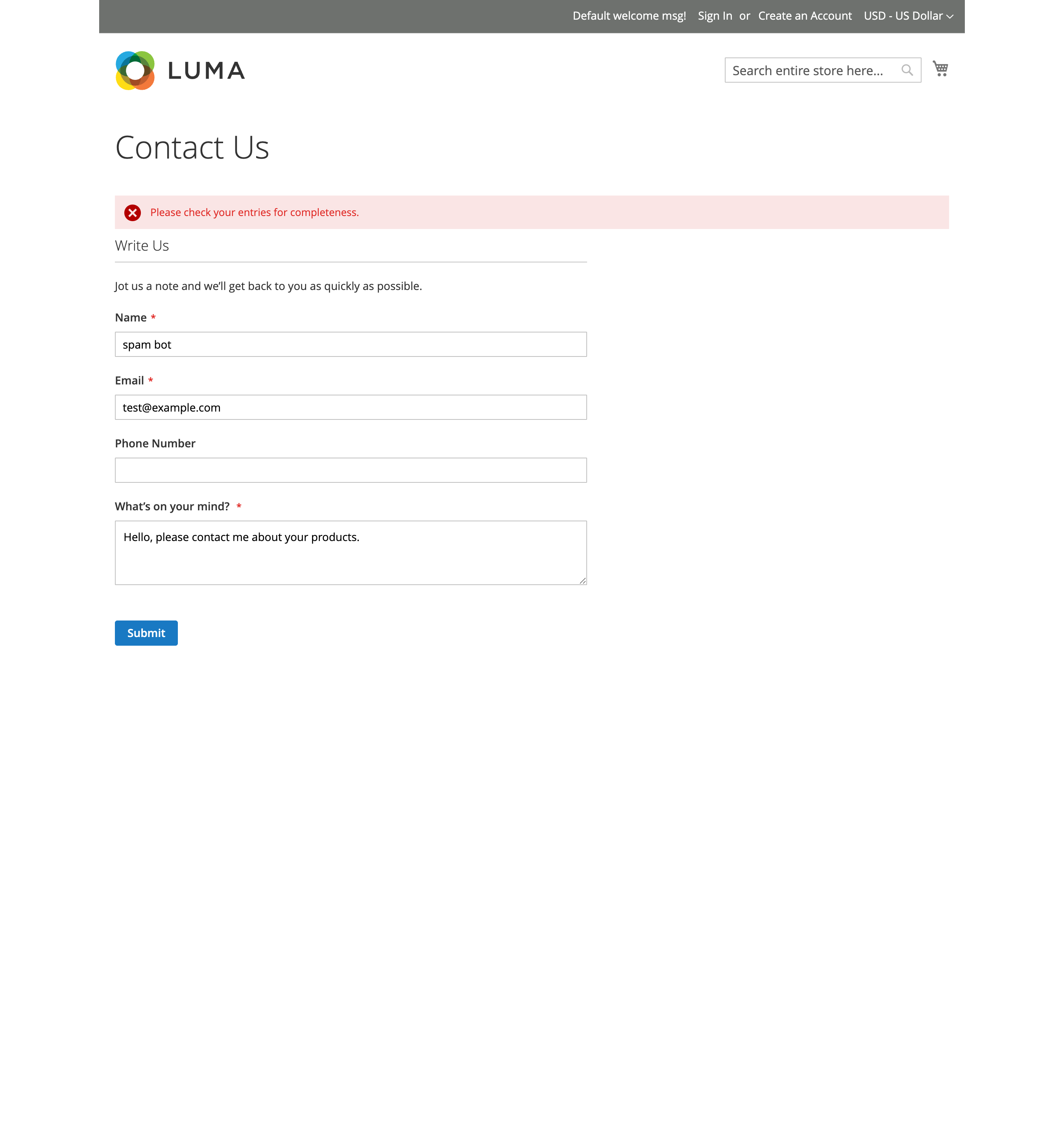
This Magento Extension validates Input fields (names, email) for the registration form, contact form and Newsletter Registration. You can define Blacklist patterns, to disallow unwanted registrations (like bot systems)
Implementation
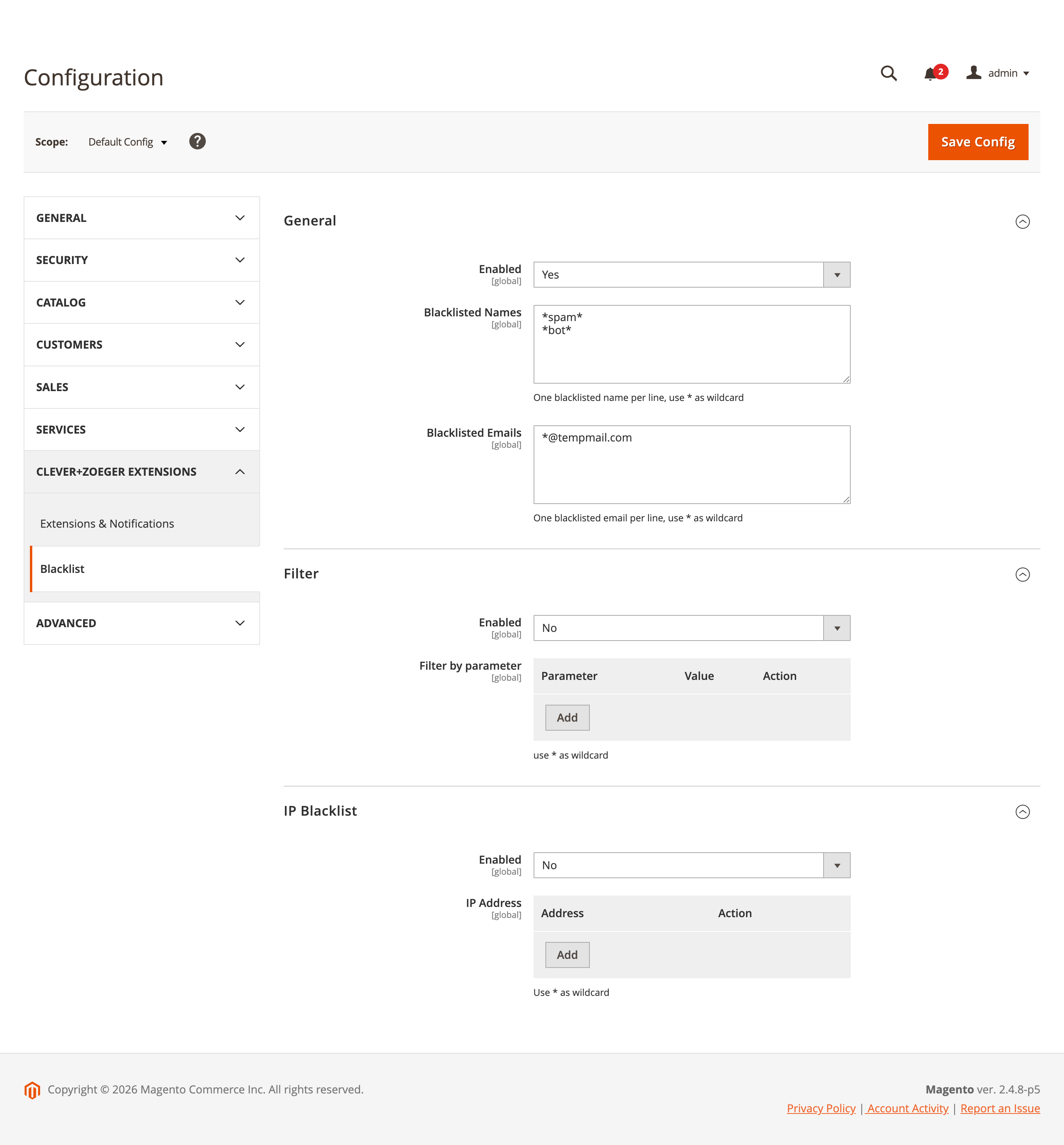
To set up Blacklist, please go to Stores → Configuration → CLEVER+ZÖGER GMBH → Blacklist
Backend: General Settings
-
Activate Extension - yes/no
-
Blacklisted names - defined names pattern, which are blacklisted, use * for wildcard
-
Blacklisted email - defined email pattern, which are blacklisted, use * for wildcard
Backend: IP Blacklist Settings
-
Activate Extension - yes/no
-
IP Address - blacklisted IP addresses, use * as wildcard