Extension: XML & HTML Sitemap
-
Extension Name: ext.magento2.cleverzoeger.sitemap (CleverZoeger_Sitemap)
-
Shop Link: https://shop.clever-zoeger.de
-
Magento Compatibility: 2.4.9, 2.4.8, 2.4.7, 2.4.6
Generate standards-compliant XML sitemaps and a customer-facing HTML sitemap for Magento 2. The extension supports multiple sitemap profiles, per-entity settings, product/category images, hreflang alternates, flexible exclusions and automatic generation via cron or CLI.
Features
-
Multiple sitemap profiles, each bound to a store view
-
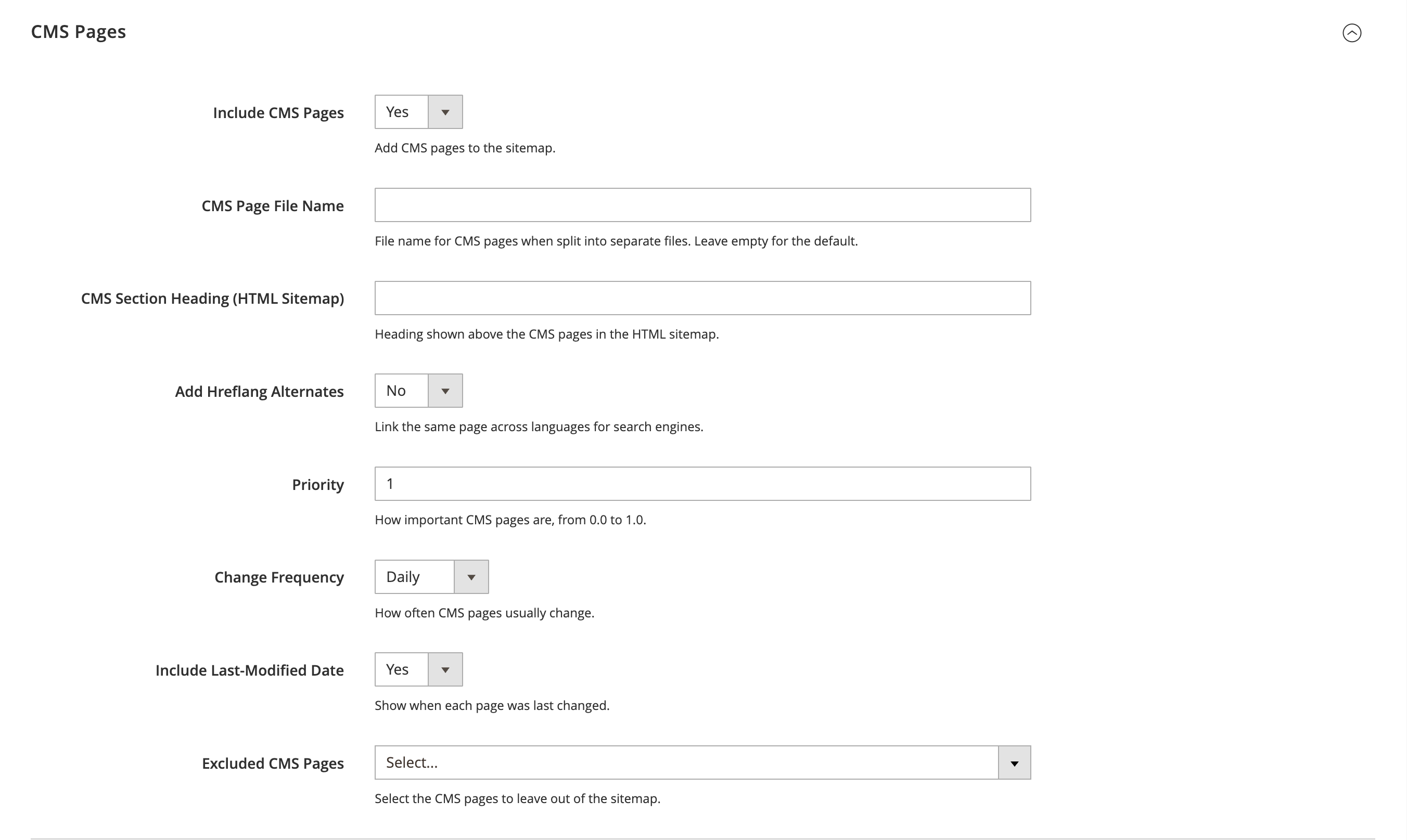
Entity providers for products, categories, CMS pages and custom/additional links
-
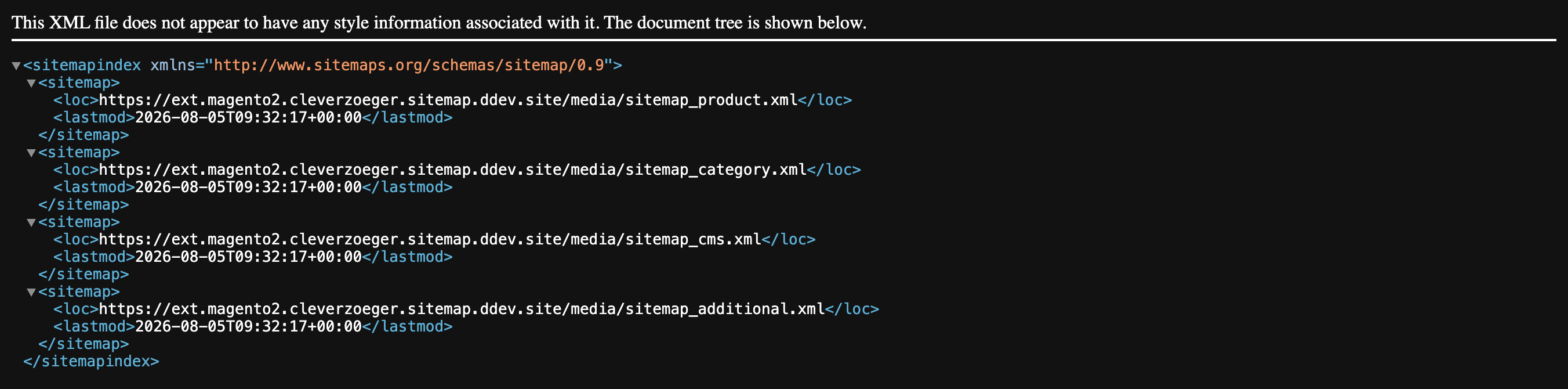
Split into a separate file per entity type plus a sitemap index
-
Automatic chunking by maximum URLs (≤ 50,000) and maximum file size (≤ 50 MB)
-
Per-entity-type priority, change frequency and last-modified date
-
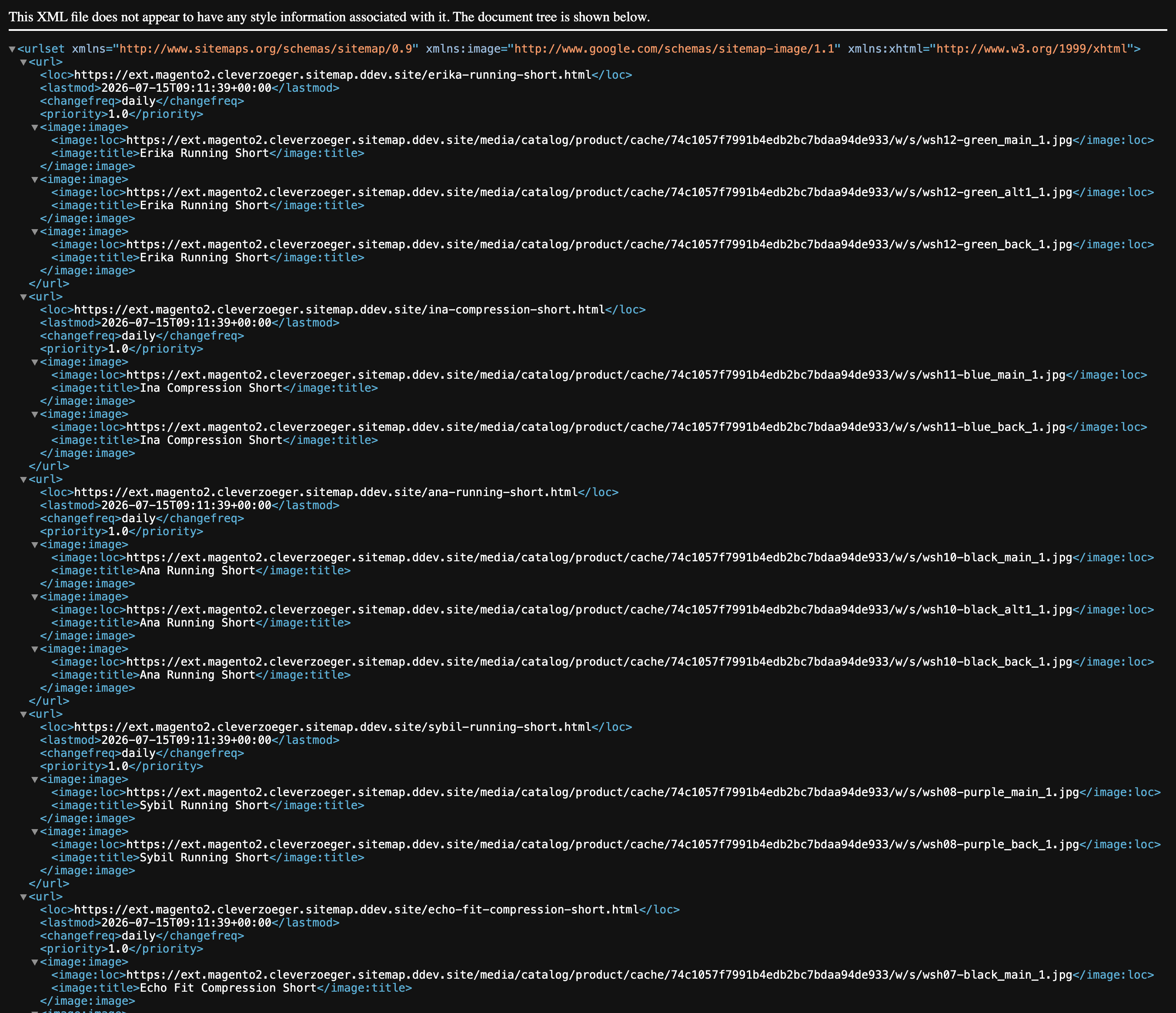
Product images in the sitemap: none, base image only or the whole media gallery
-
Category images
-
hreflang alternates for products, categories and CMS pages (x-default, website/global scope)
-
Exclusions: URL patterns (wildcards), product types, out-of-stock / not-salable products, and searchable category & CMS page pickers
-
Dynamic
robots.txtsubmission of the generated sitemaps -
HTML sitemap widget with grouped links and configurable headings
-
Generation via cron, CLI command or manually per profile / mass action
-
Master on/off switch that also removes the generated files when disabled
-
Multistore / multiwebsite ready
Implementation
composer require cleverzoeger/ext.magento2.cleverzoeger.sitemap
bin/magento module:enable CleverZoeger_Sitemap
bin/magento setup:upgrade
bin/magento setup:di:compile
bin/magento setup:static-content:deploy
bin/magento cache:flush
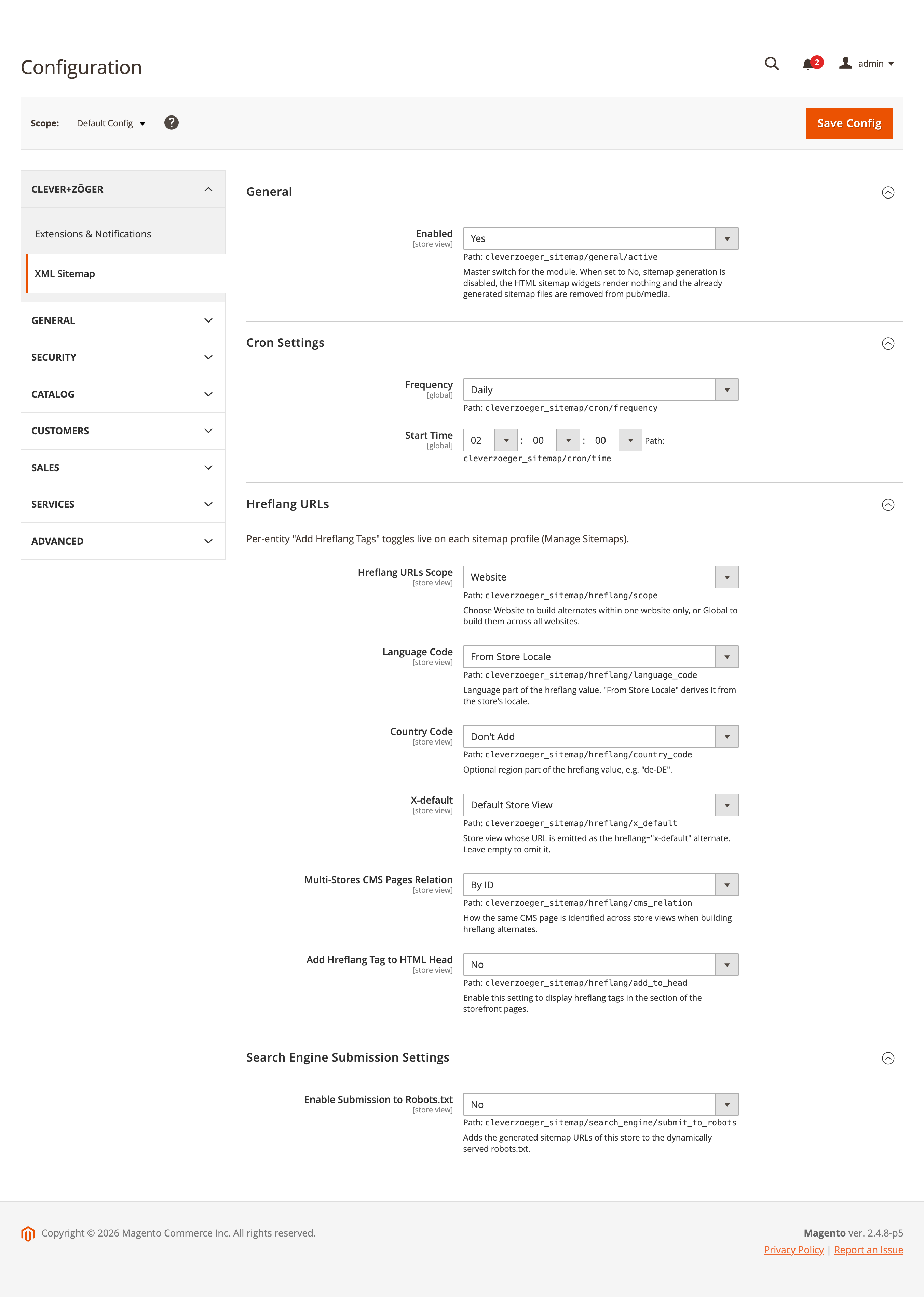
Backend: General Settings
Global configuration under Stores → Configuration → clever+zöger → XML Sitemap: the master switch, cron schedule, hreflang defaults and the robots.txt submission.
Backend: Manage Sitemaps
Every sitemap is configured as a profile under clever+zöger → XML Sitemap → Manage Sitemaps. The grid shows the generated files, the store view and the last generation time, and offers Generate, Duplicate and Delete row actions.
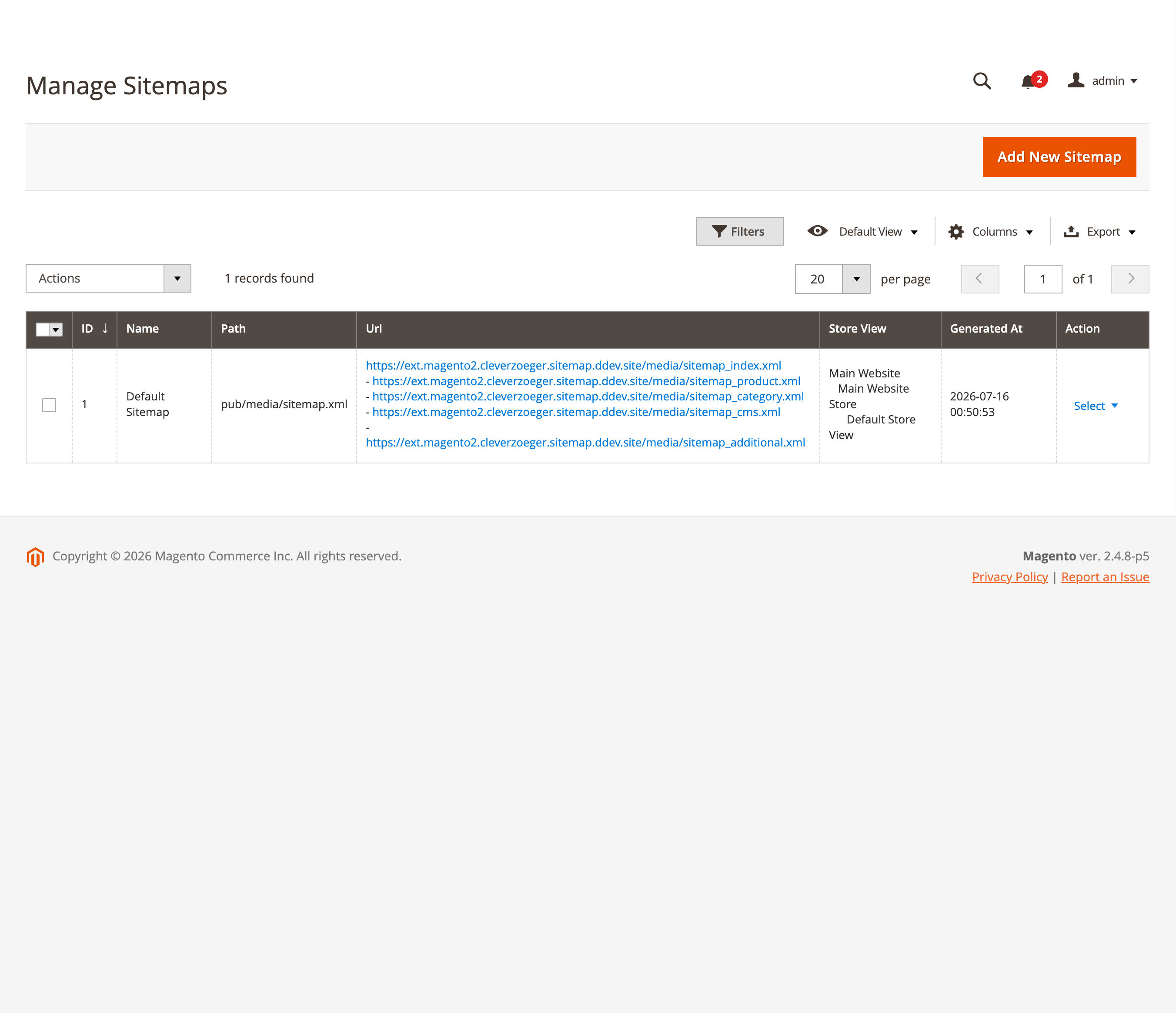
Backend: Sitemap Profile
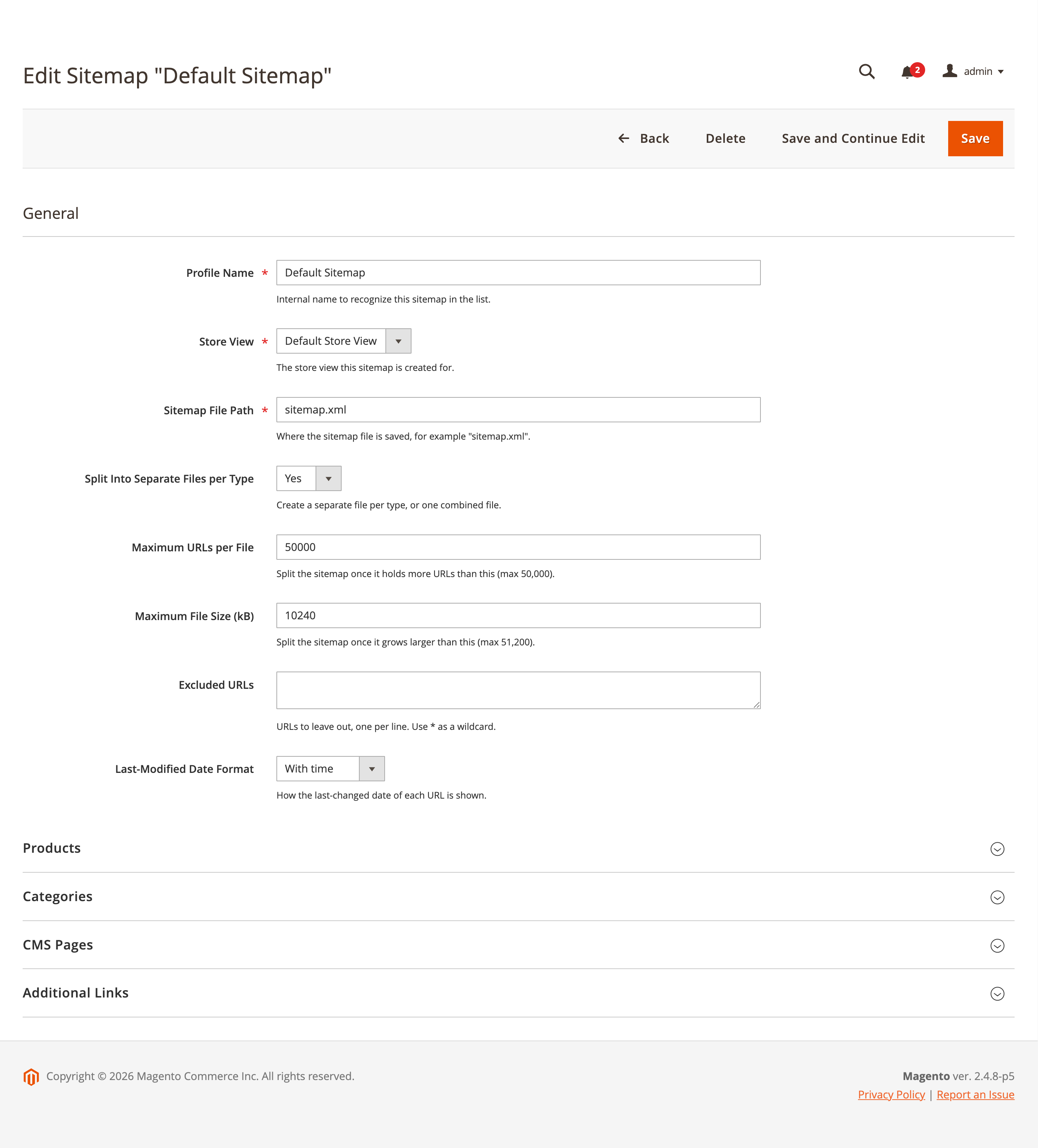
General
Store view, file path, split mode, chunk limits, excluded URL patterns and the last-modified date format.
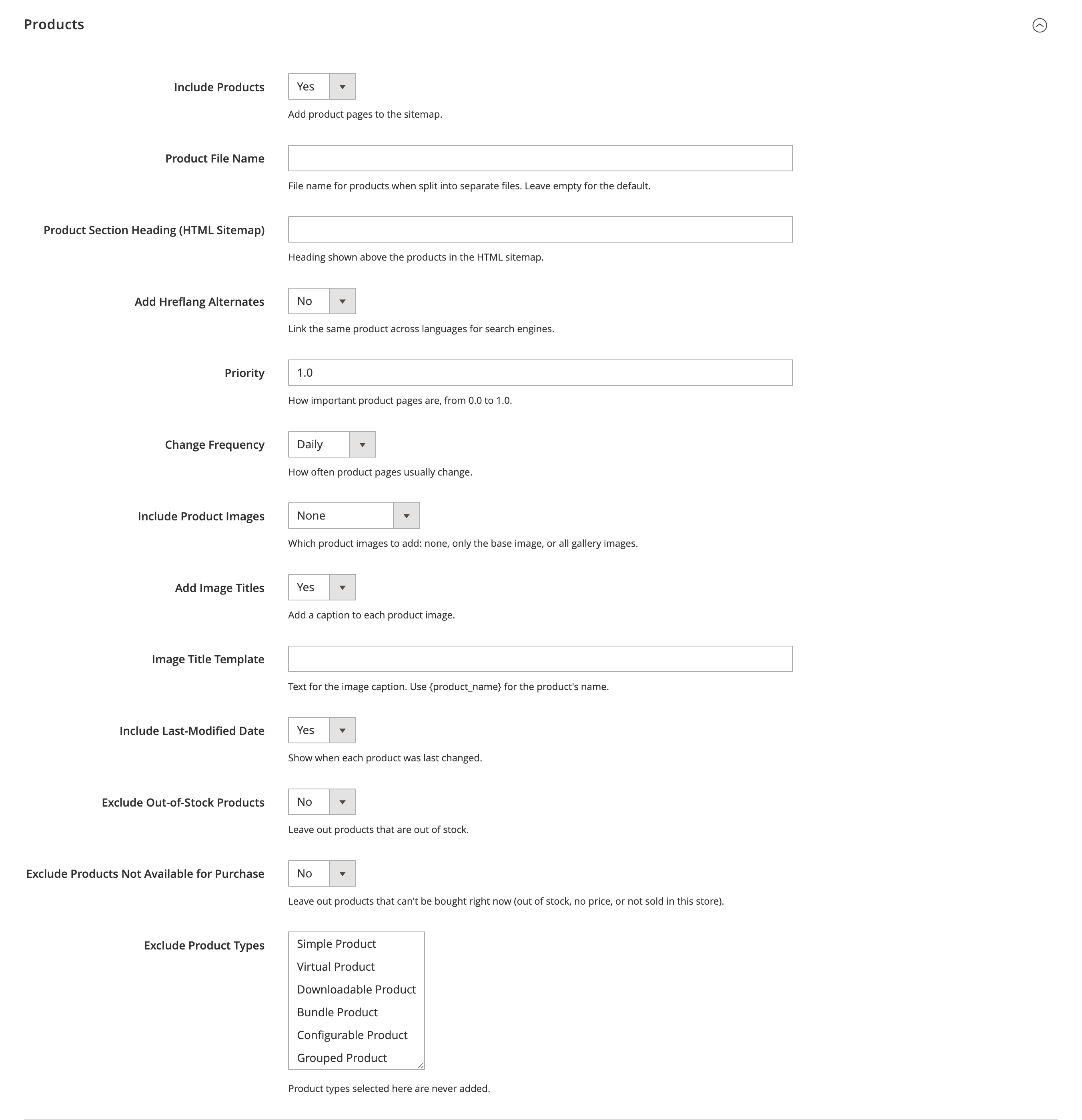
Products
Per-profile product settings including priority, change frequency, hreflang and the product image mode (none, base image only or all gallery images).
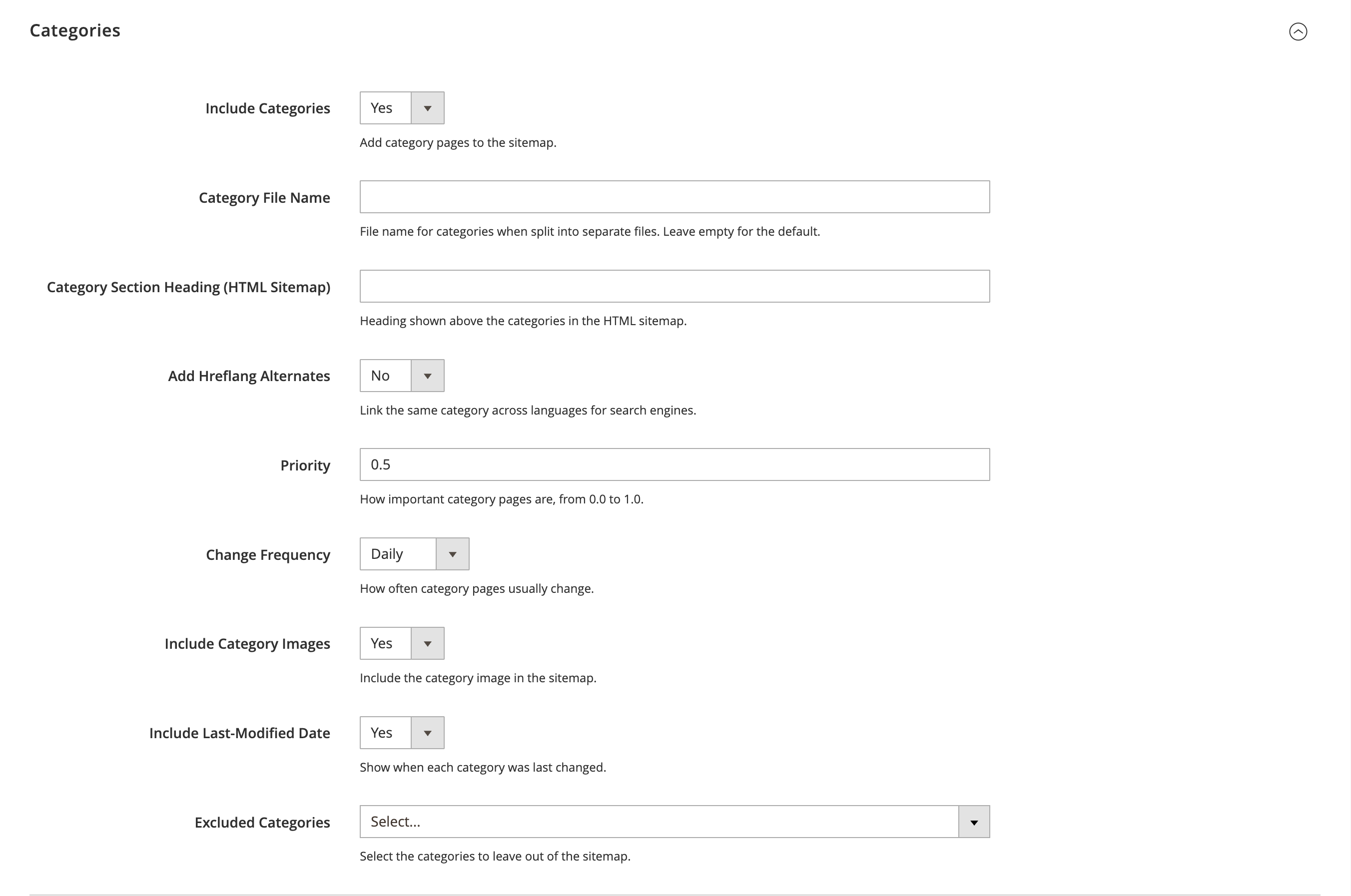
Frontend
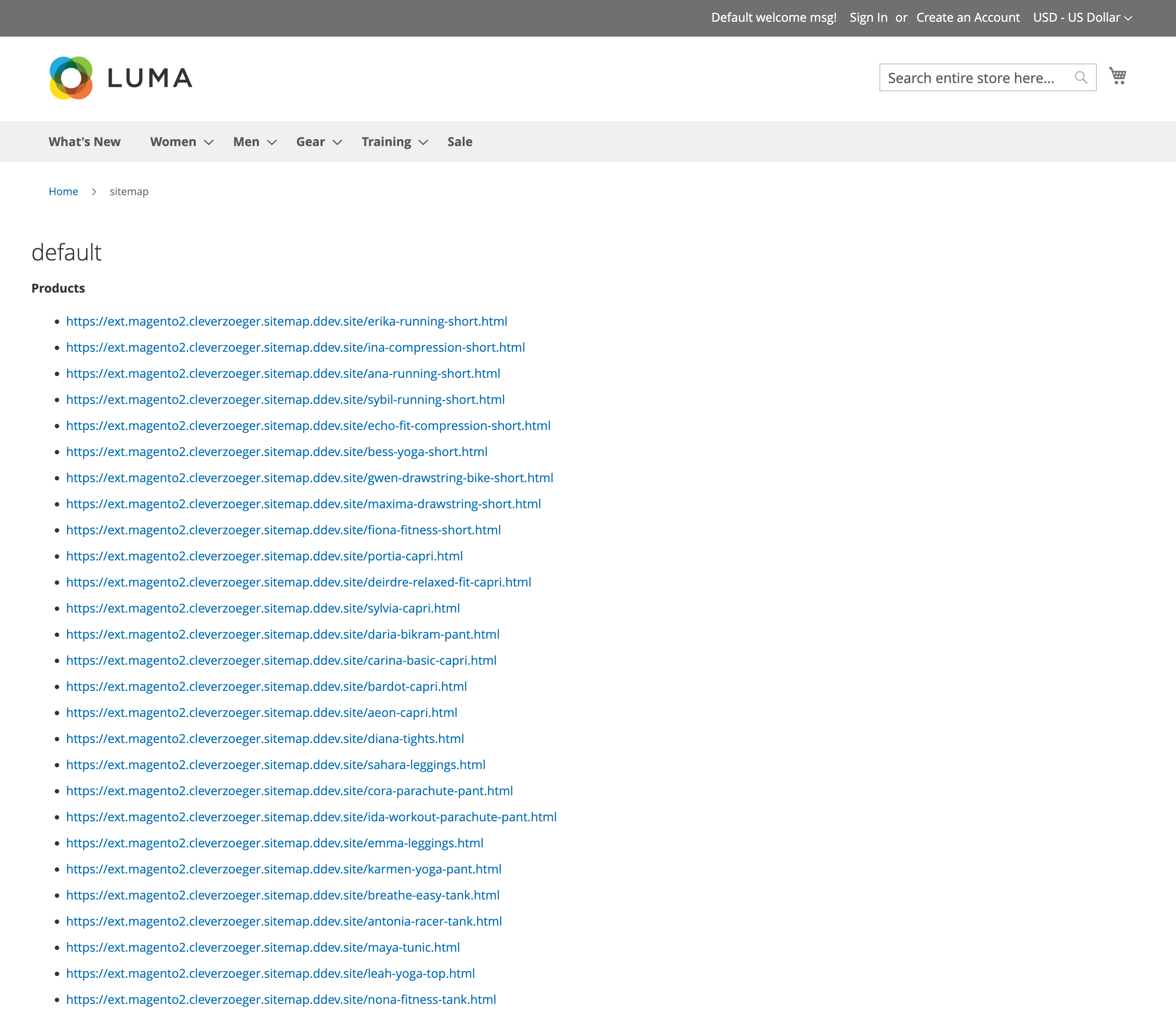
Some examples of how the extension appears on the storefront.
HTML Sitemap
The Sitemap HTML widget renders the generated sitemap data as an HTML list of links, grouped per entity type with configurable headings.