Extension: German Tax Switcher
-
Extension Name: ext.magento2.cleverzoeger.tax-switch (CleverZoeger_TaxSwitch)
-
Magento Compatibility: 2.4.x
-
PHP Compatibility: 8.1, 8.2, 8.3, 8.4
This Magento 2 extension switches the German VAT rates of a shop on a fixed date - it maps the
configured default and reduced tax classes onto their reduced counterparts, recalculates product
prices and special prices and switches everything back on the configured end date. The original
prices are kept in the product attributes tax_switch_origprice and tax_switch_origspecialprice,
so the shop can always be restored.
Implementation
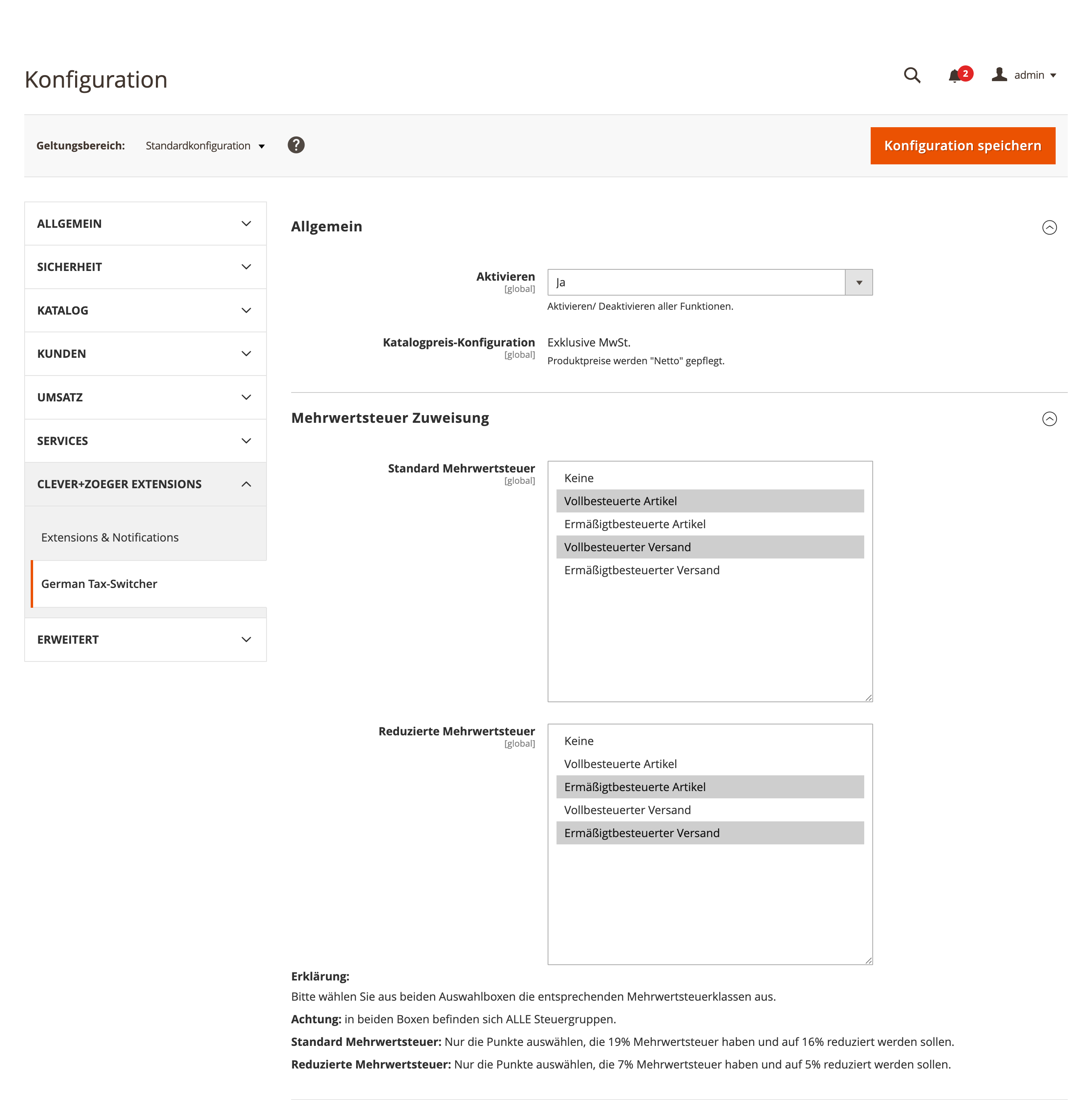
The extension is configured under Stores > Configuration > Clever+Zoeger > German Tax-Switcher (shortcut in the admin menu under Clever+Zoeger > German Tax-Switcher):
-
General - activate the module; an info box shows the relevant catalog price configuration
-
Tax Mapping - select the tax classes with the default rate and the ones with the reduced rate
-
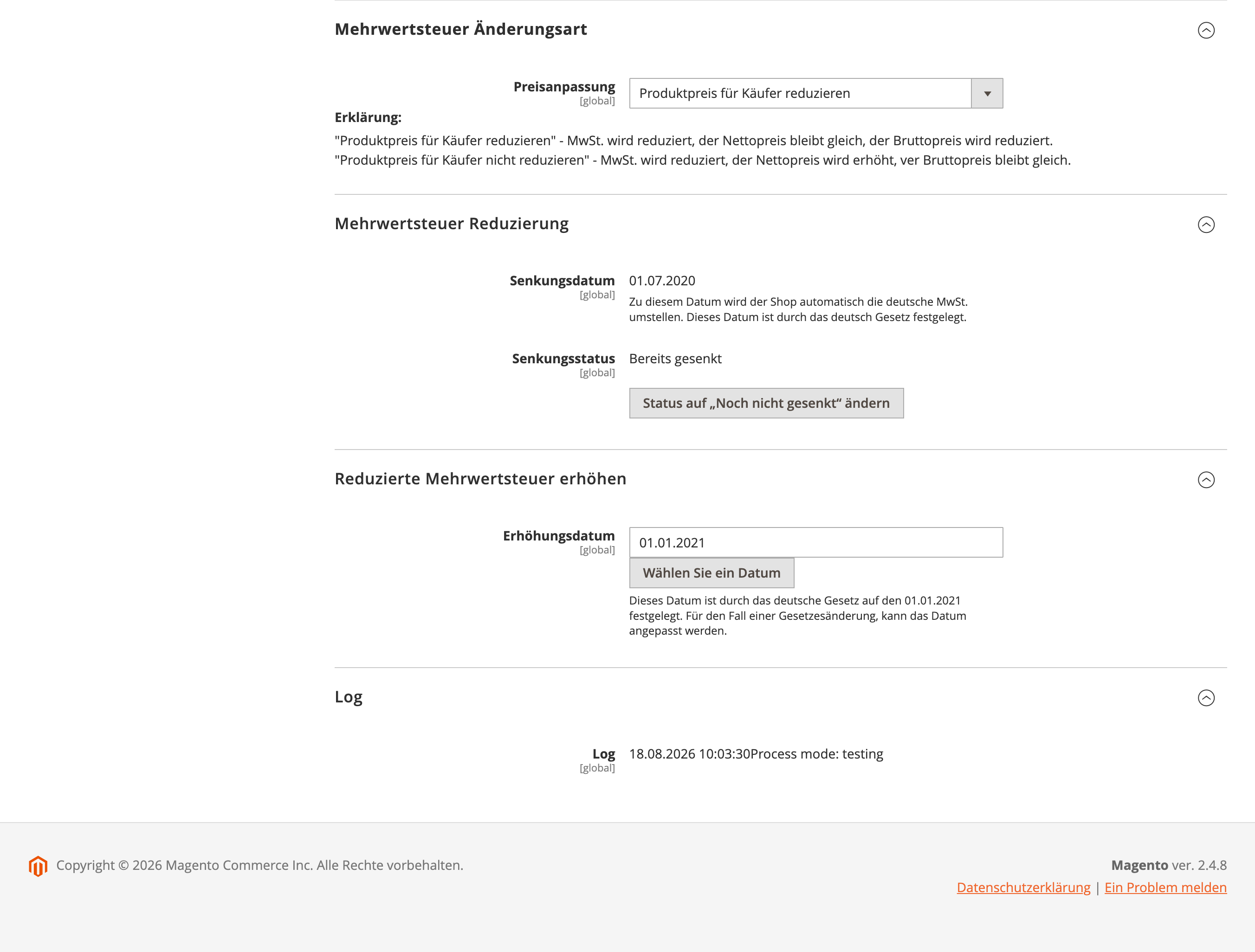
Tax Change Settings - price change mode:
Reduce price for customerkeeps the net price and lowers the gross price,Leave price for customerkeeps the gross price and raises the net price -
Tax Reduction Settings - decreasing date (fixed by German law), current decrease status and a button to switch the status manually
-
Tax Increasement Settings - the date on which the rates are switched back
-
Log - the last 30 log entries of the switch runs
The switch itself runs unattended: the cron job cleverzoeger_taxswitch is executed every five
minutes and compares the configured dates against the store timezone.
For testing there are two console commands:
bin/magento cleverzoeger:test:tax-reduction
bin/magento cleverzoeger:test:tax-increasement
Screenshots
Backend
Frontend
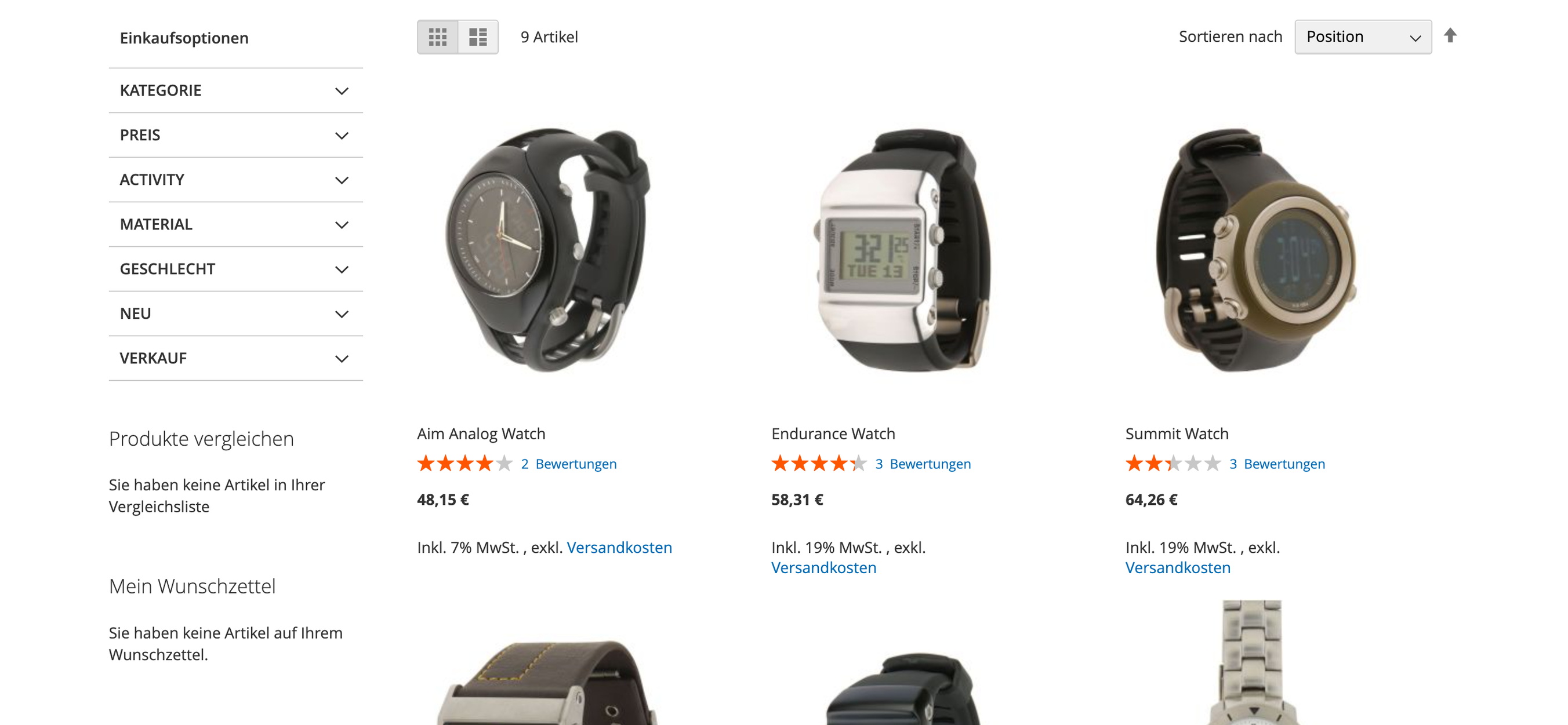
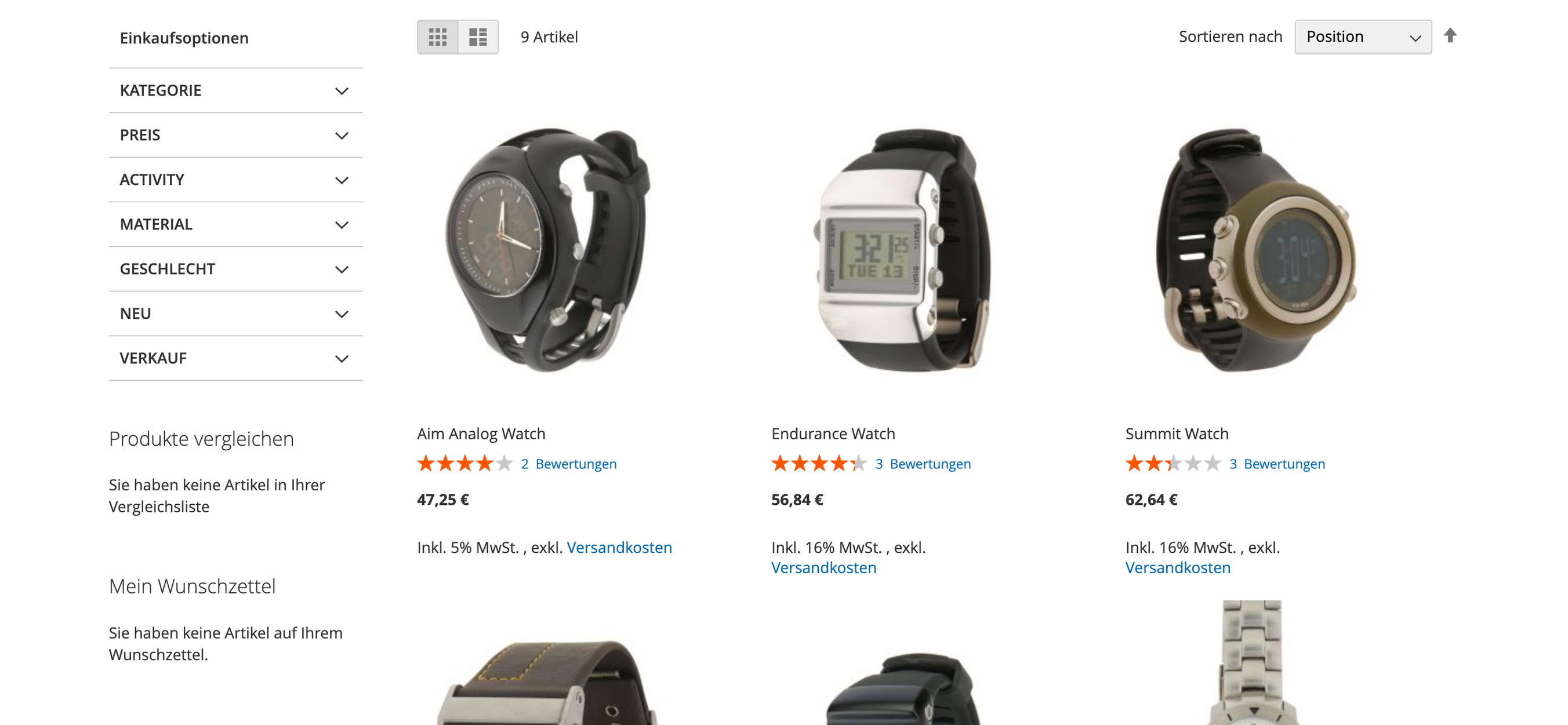
The module has no own storefront output; it only changes prices and tax classes of the catalog. The screenshots below show that effect on a category listing.
This documentation is brought to you by the clever+zöger GmbH. We are developing Magento projects since 2008 and since 2020 we are Adobe Solution partner. If you have any issues, don’t hesitate to contact us support@clever-zoeger.de.